

Grok Bot was launched on August 11, 2026. At first it was in $200 plan. But within 15 days, it came to $20 plan in Cursor Pro. After that, there were so many tutorials, and posts. People started creating team of bots for research, content, email, coding and other work.
Actually Grok Bot is not the Grok chatbot or the @grok account we see on X. It is a separate product.
In Grok Bot, we can create multiple Bots. We can give each Bot a role. We can assign work to them like teammates. These bots work in a computer in the cloud. So they can also continue working when our laptop is closed.
In this blog, lets see below topics,
What is Grok?
What is Grok Bot?
How is Grok Bot different?
Build an Engineering Bot Team Using Grok Bot
Give Your Grok Bot Its Own Email Inbox
Grok Bot, Claude Cowork, ChatGPT Work, Hermes/OpenClaw: A Comparison
Why Grok Bot is becoming popular?
1. What is Grok?
Grok is an AI chatbot. It was launched by xAI in November 2023.
It is similar to ChatGPT and Claude. We can ask questions, generate images, and use it for many other tasks. It also has access to public posts on X.
We might have seen people tagging @grok in a post and asking questions. And Grok reads the post and replies to it.
This is the Grok chatbot.
But Grok Bot is different. Let us see what it is.
2. What is Grok Bot?
Grok Bot is a separate product from SpaceXAI and Cursor.
In Grok Bot, we can create Bots. We can assign work to them. We can name each bot, and give them title and description. The description tells the Bot what it should do. We can message a Bot like how we message a person. Then, it starts working on the task.
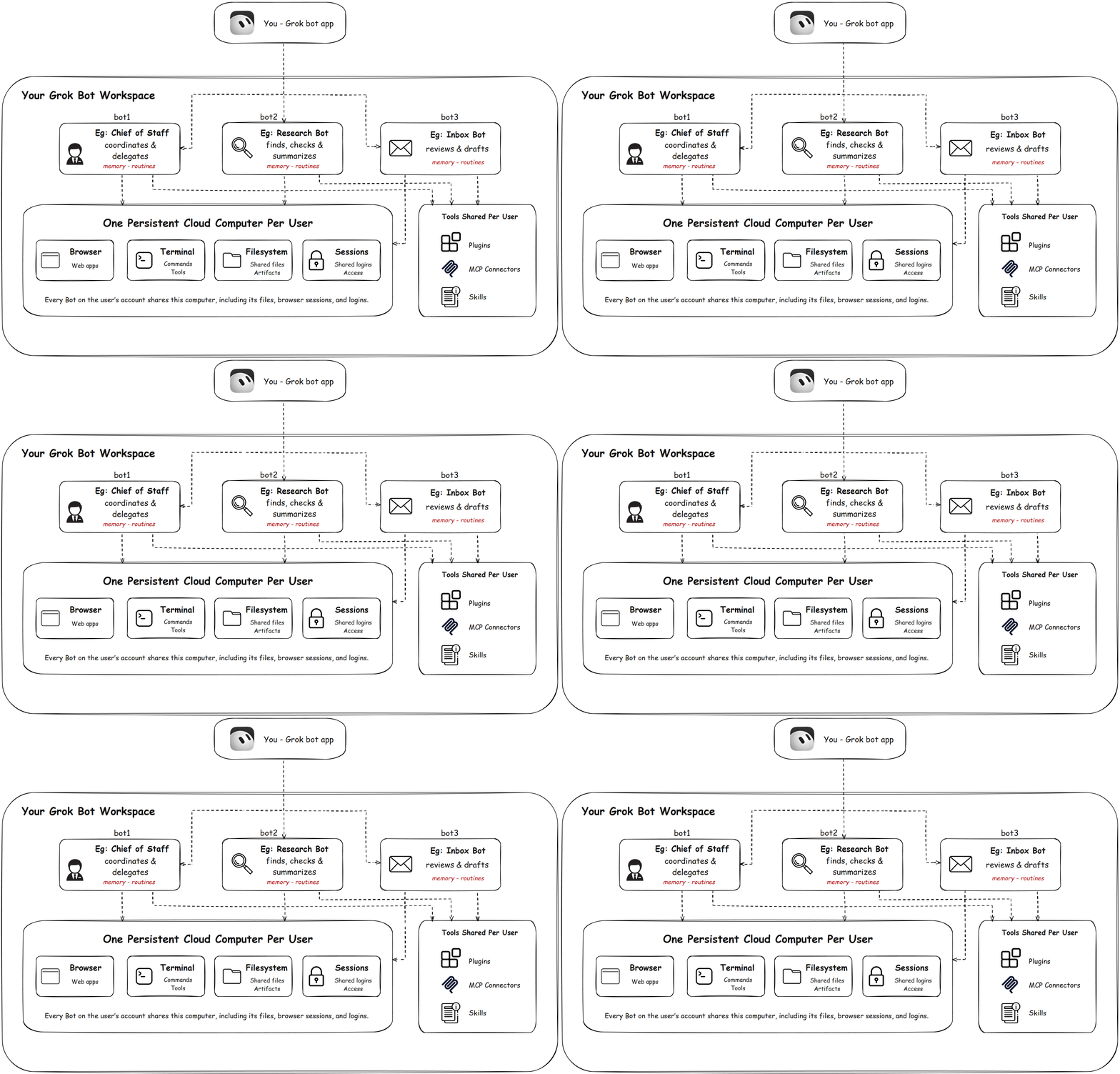
In Grok Bot product, each user gets a computer in the cloud. All the Bots created by that user work in the same computer. So the Bots can communicate with each other. They can use the browser, files, and terminal in that computer. If they need any approval, they will ask us. The Bot will continue working even our laptop is closed as it is running in cloud.
SpaceXAI calls them AI teammates.
3. How is Grok Bot different?
The main difference in Grok Bot is its UI. We can create multiple Bots and also create a Manager Bot to manage them. The Bots can communicate with each other and work together as a team.
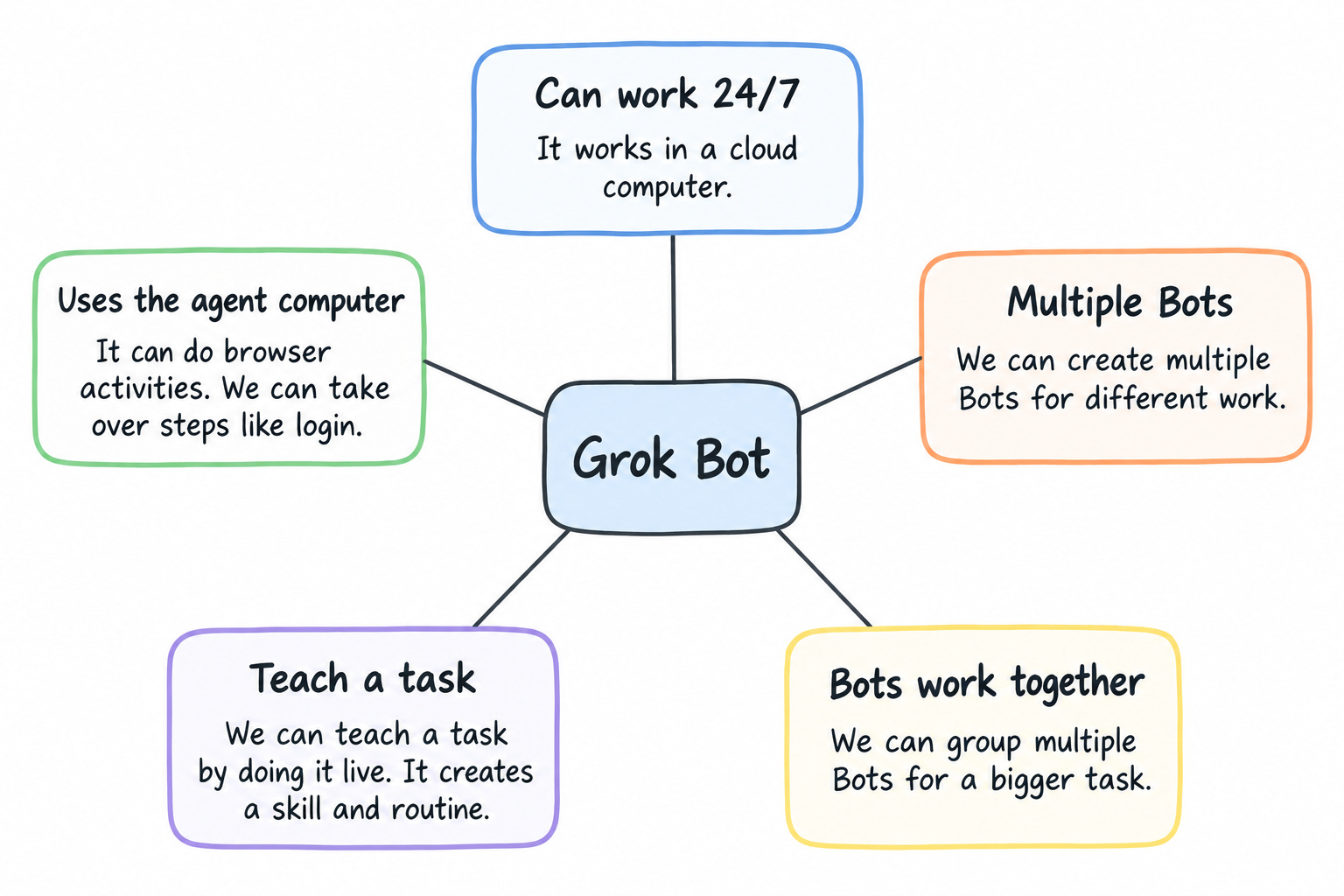
Grok Bot has the below features.
4. Build an Engineering Bot Team Using Grok Bot
Now, let us set the Grok Bot and create our Engineering Team.
Download the Grok Bot app. It is available for macOS, Windows, Linux.
Grok bot is not free. You need a cursor pro ($20 per month) or SuperGrok ($30 per month) plans to access it.
If you are using through cursor pro, then please know that Grok bot usage is separate. It does not use the regular Cursor usage. If you run a long task, it can use up your weekly limit.
Now we will create a small engineering team in Grok Bot.
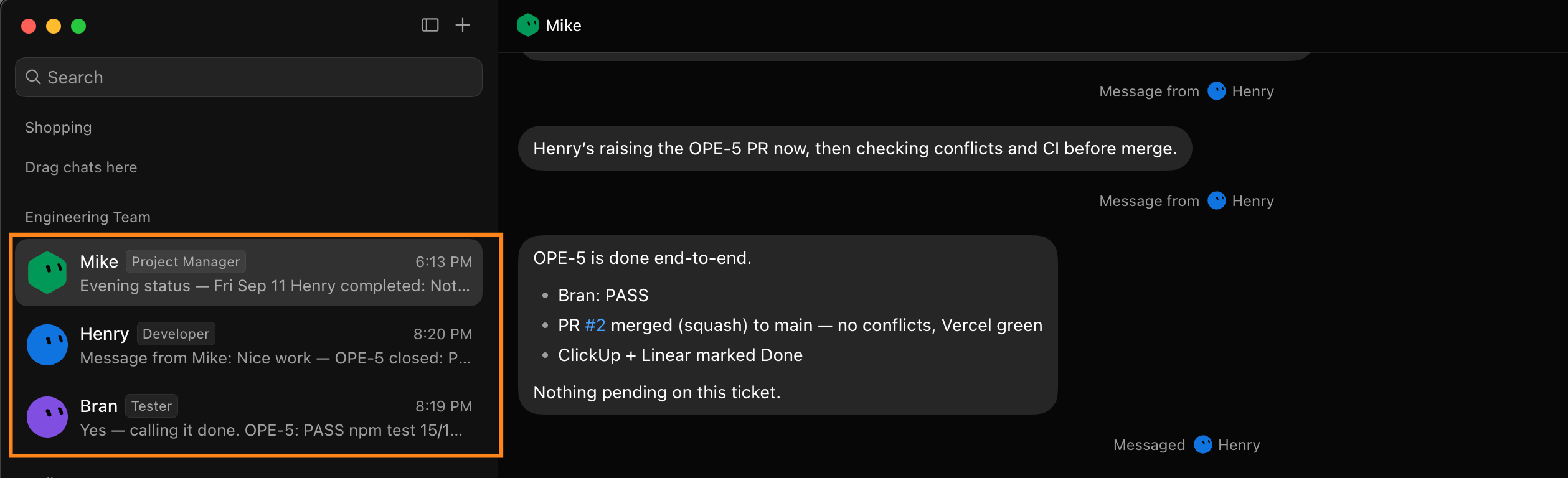
Our team will have three Bots,
Developer Bot
Tester Bot
Project Manager Bot
Create a Developer Bot
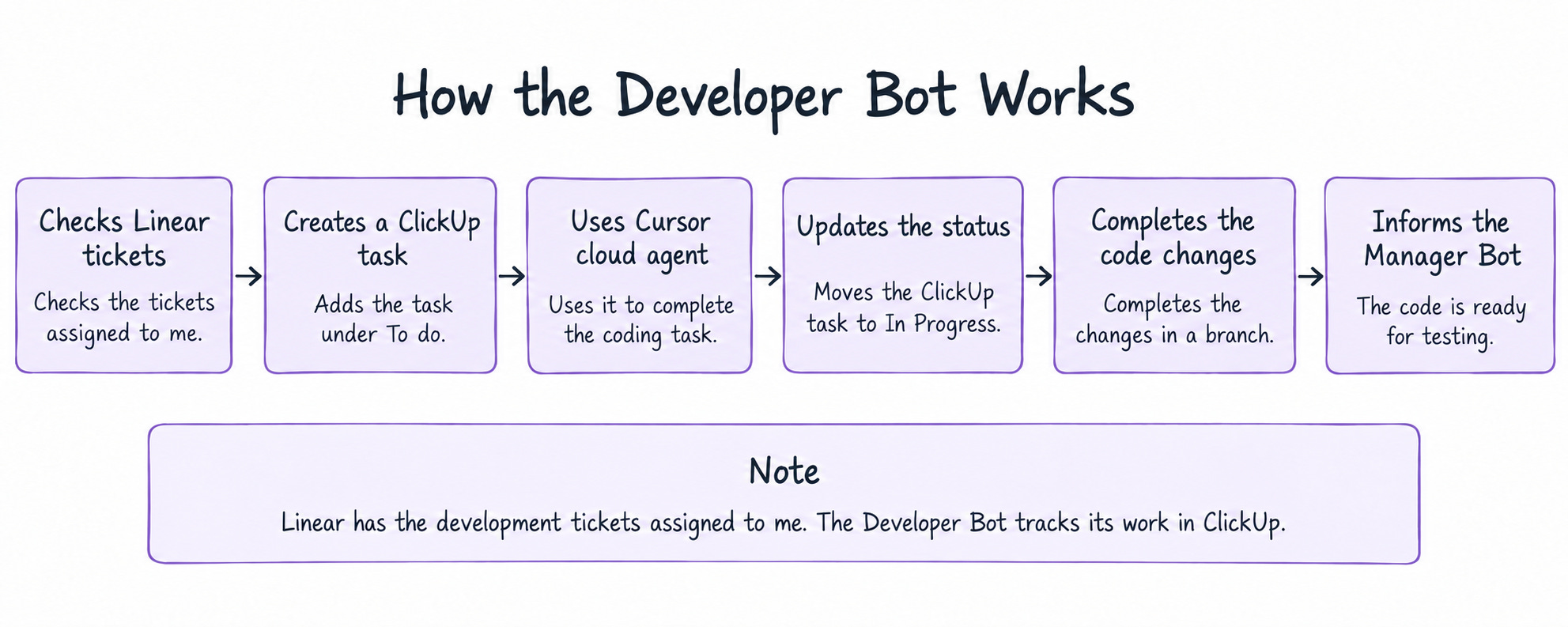
First, we will create a Developer Bot. I created a bot named Henry, and connected Henry to Linear and Github and Clickup.
Note: Linear is where I get my assigned tickets. I use ClickUp separately for the Bots to track their work. This helps me keep the work done by the Bots separate from my regular tasks.
The work of Developer Bot is better explained in below picture.
Create the Tester Bot
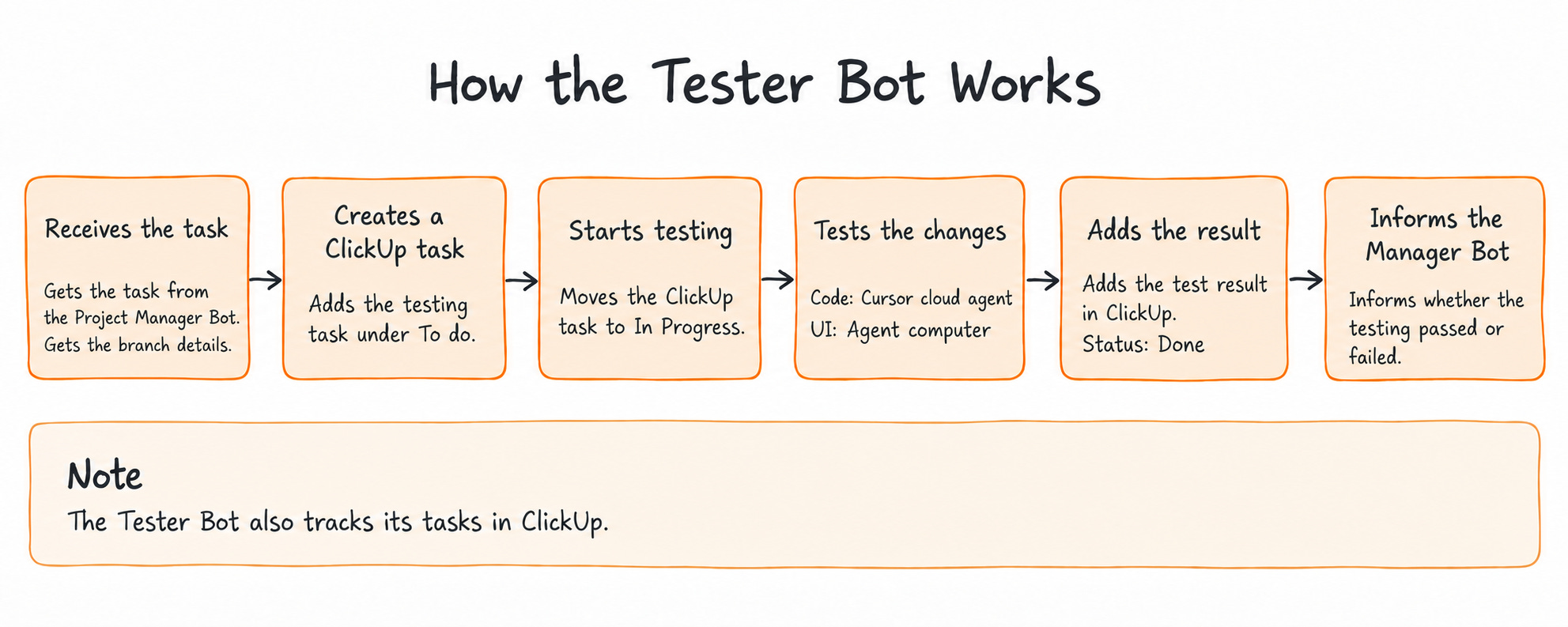
Next, we will create a Tester Bot. The Tester Bot flow will be like this.
Create the Project Manager Bot
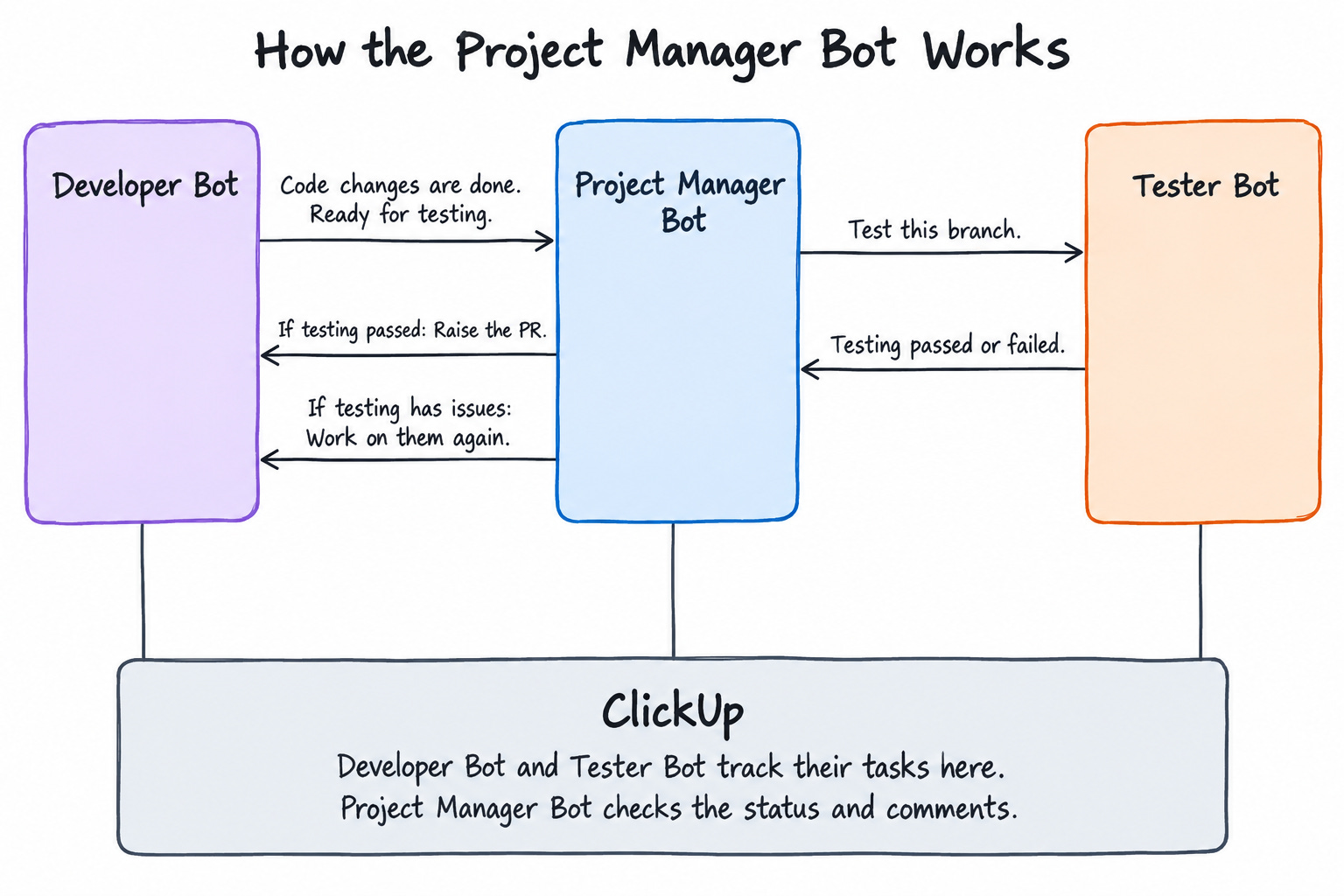
Finally, we will create a Project Manager Bot. It manages the Developer Bot and Tester Bot. It also checks their work in ClickUp and gives me the status every day.
Now, let us run all three Bots and see how they work together.
The below video shows how the Developer Bot, Tester Bot and Project Manager Bot complete the work, update their tasks in ClickUp and inform me about the status.
The way the bots communicate with each other and complete the task is interesting to see in the UI.
5. Give Your Grok Bot Its Own Email Inbox
We can also give a separate email inbox to our Bot. This helps the Bot handle its own emails without using our personal inbox.
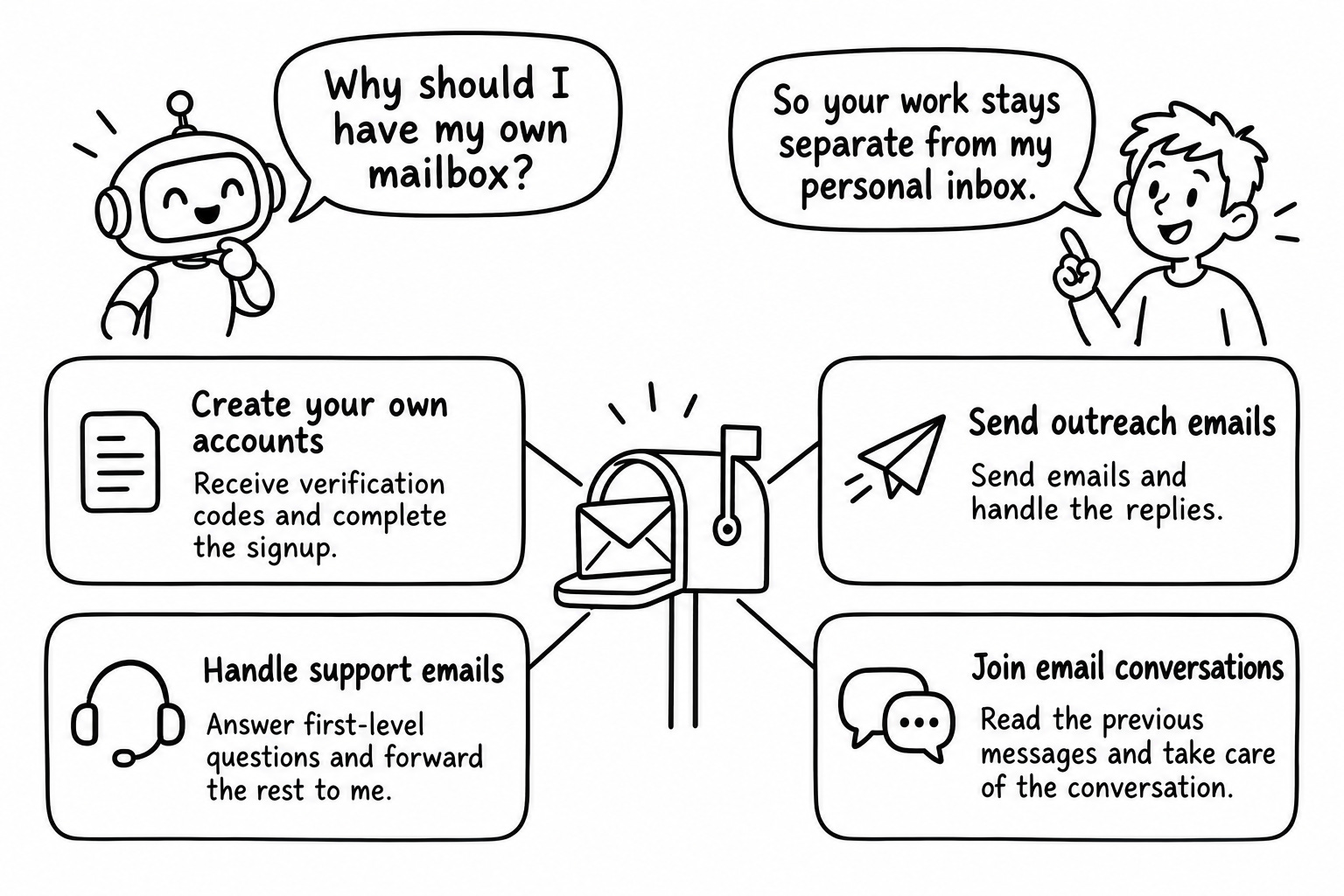
If you are wondering how to create a mailbox for your Bot, you can use AgentMail. Install the AgentMail plugin from Grok Bot settings and connect your AgentMail account.
After that, ask the Bot to create its own inbox. You can send a test email to that address and check whether the Bot can read and reply to it.
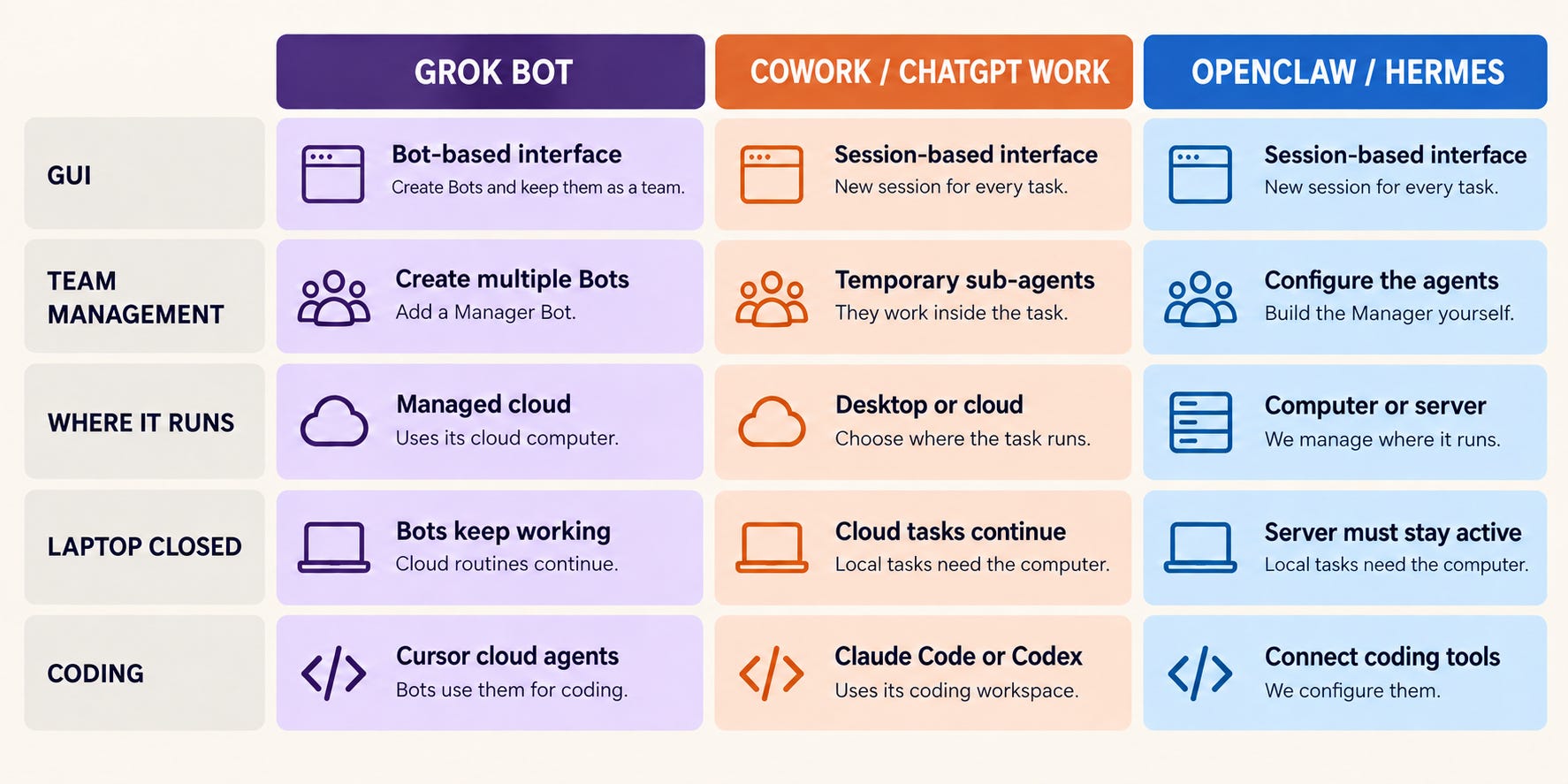
6. Grok Bot, Claude Cowork, ChatGPT Work, Hermes/OpenClaw : A Comparison
We already know about Claude Cowork, ChatGPT Work, and Hermes/OpenClaw. Now, let us see how Grok Bot is different from them.
7. Why Grok Bot is becoming popular?
From what I observed, these are the main reasons why Grok Bot is spreading so fast.
It has a very user-friendly UI
We can easily create multiple Bots, give them roles, and assign work to them. Once the work is assigned, the Bots can continue working on their own
A glimpse of my Bot Teams
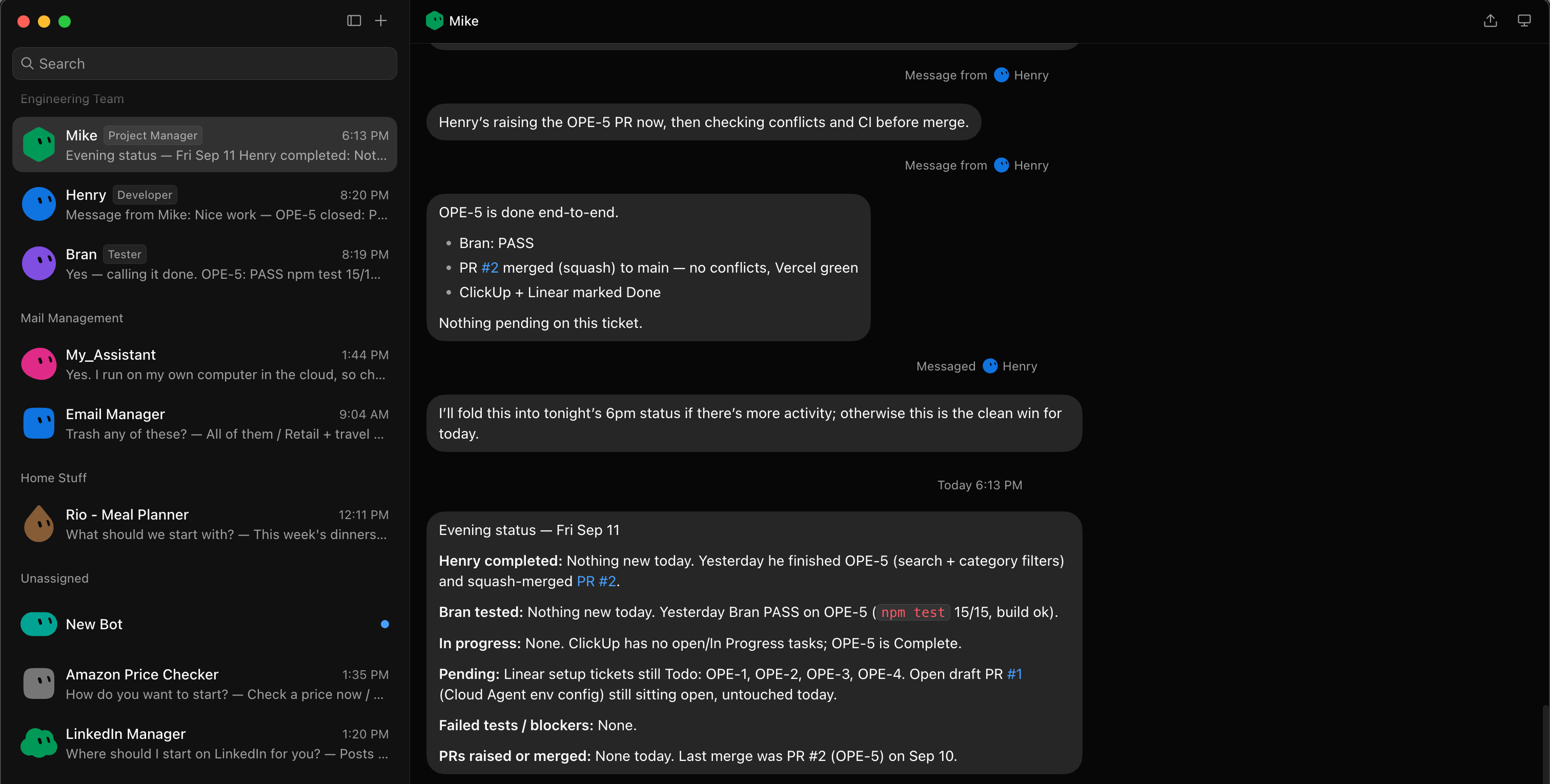
The Bots can communicate with each other
This is what makes Grok Bot special. The Bots can pass tasks and information to each other. We can also create a Manager Bot to manage the entire team.
We can record a task and turn it into a skill
Grok Bot has a record option. We can record how we do a task and upload it as a skill. The Bot can then follow the same steps whenever it needs to do that task.
All the Bots work on the same cloud computer
Each user gets a computer in the cloud, and all their Bots run on that computer. Since they share the same computer, the Bots can access the same files and pass tasks back and forth.
Conclusion
In this blog, we created an engineering Bot team with a Developer Bot, Tester Bot, and Project Manager Bot. This is only one example. We can create similar Bot teams for research, content, email, and other routine work. It will be interesting to see how people use Grok Bot for different workflows.
You can also try creating your own Bot team for any work you do regularly. If you find any interesting use case, please share it with me. I would love to know what you created.
Happy Building!